What a Live Stream on Your Website Costs, Worked Out
A live stream on your own website costs what it takes to send the video and what it takes to deliver it to every viewer, and the second part grows with the audience. With Live Stream on a WordPress site, the plugin is free, a WordPlus Cloud subscription streams to 50 viewers at once unmetered, and each viewer above that takes a credit a minute, so a stream to 30 people costs the subscription alone and a stream to 500 adds a few dollars.
Most answers to this question start with cameras and studios, or with a table of platforms. This post goes the other way: the few things a stream really needs, the one number that decides the cost, and the sums for four ordinary streams, so you can put your own through them.
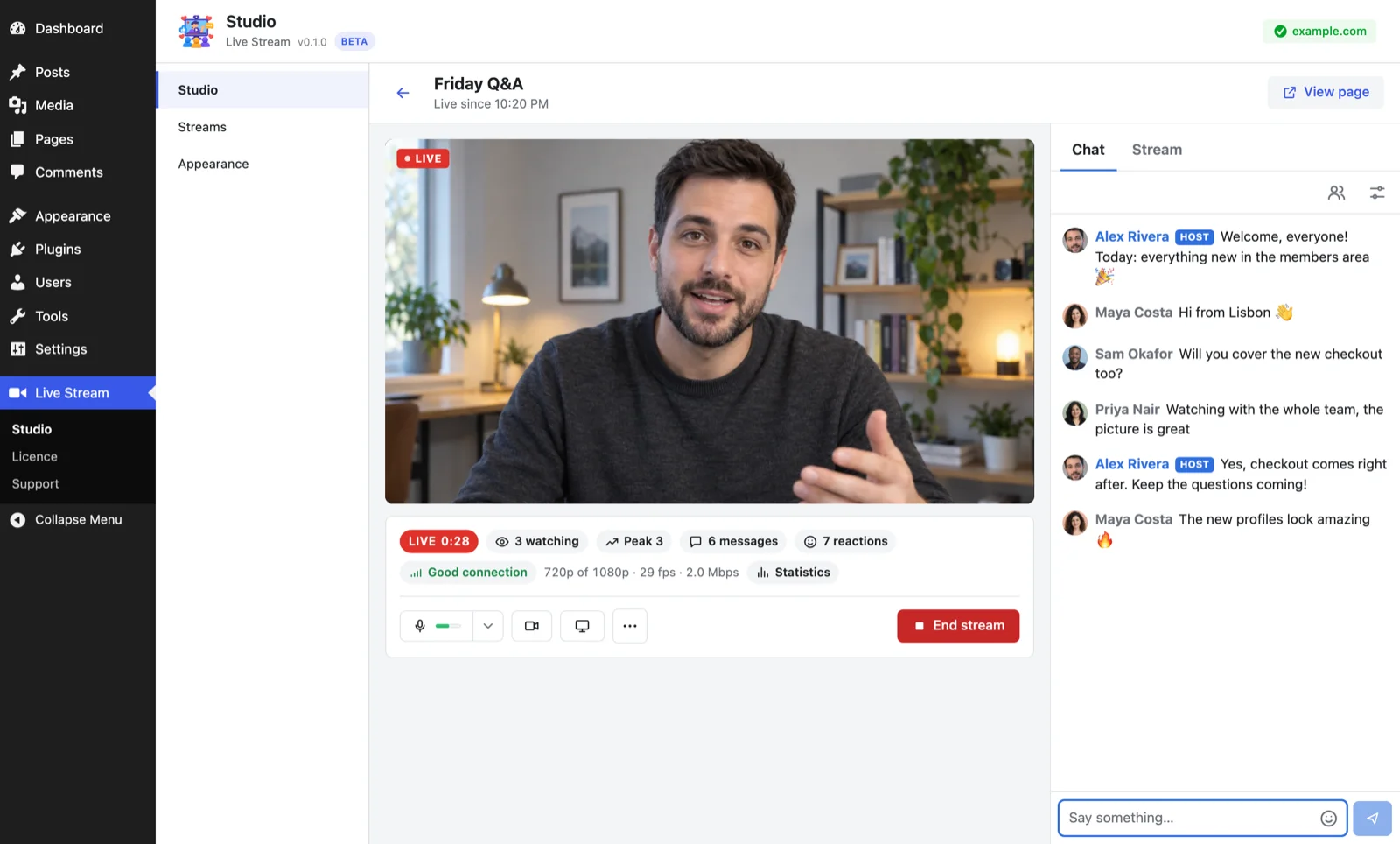
What you need to go live
A computer with a camera and a microphone. The camera of a laptop is enough to start. Live Stream goes live from the browser, in Live Stream → Studio, so there is nothing to install for the host. A better microphone helps more than a better camera, as viewers forgive a soft picture long before they forgive sound they cannot follow.
An encoder, if you want one. For scenes, overlays and several cameras, OBS Studio is free and open source, and OBS 30 or later sends to Live Stream over WHIP (Streaming from OBS).
An upload that carries the stream. The host sends one copy of the stream, whatever the audience. A few megabits a second of upload is enough for HD.
A page to stream on. Your WordPress site already has it. The stream plays on a page with the Live stream block or a shortcode such as [wordplus_stream id="12"] (Putting a stream on a page).
None of these grow with the audience. What grows is the delivery.
The number that decides the cost: viewer minutes
Delivering a stream means a copy of it for each viewer, every minute they watch. That is why streaming is priced by the viewer minute, one person watching for one minute, and why a month of it is three numbers multiplied:
Viewers at once × minutes per stream × streams a month = viewer minutes
| In a month | Viewer minutes |
|---|---|
| A class of 30, an hour, 4 times | 7,200 |
| A weekly show to 100 viewers, an hour, 4 times | 24,000 |
| An event to 500 viewers, 2 hours, once | 60,000 |
| A daily stream to 200 viewers, an hour, 30 times | 360,000 |
A daily stream to 200 is six times an event to 500, because how often you stream counts as much as how many watch.
Two things to know before you trust a sum from a calendar:
- People come and go. A stream rarely holds its whole audience for its whole length. Counted by the minute, a viewer who stays twenty minutes counts for twenty, so the full number for the full length is a sum the real month stays under.
- The host is not a viewer. The person on camera sends the stream, and is not delivered a copy of it.
What it costs with Live Stream
Live Stream is free to download, and streams on a WordPlus Cloud subscription, which carries the video, the relays and the light chat (Viewers and credits):
- Unmetered: each site streams to 50 viewers at once without counting, across all its streams, however long they watch.
- Above that: each viewer takes one credit a minute, in HD or Full HD alike. Hosts take none, and neither does waiting for the start.
- Included: each WordPress site adds 5,000 credits a month to its WordPlus Cloud account.
- Recording: a stream being recorded takes 1 credit a minute besides, however many watch (Recording and replays).
- More credits: packs from $10 for 50,000, which is $0.20 for 1,000 viewer minutes, and larger packs come down to $0.18. Bought credits never expire while you have a subscription.
The subscription for one site is $11.99 a month billed yearly, or $14.99 billed monthly, in US dollars before tax. Bandwidth is never charged on its own, and a stream has no limit of viewers at once.
Four streams, worked out
Each row is a month of its own on one site, with the subscription billed yearly:
| In a month | Viewer minutes | Credits above the 5,000 | Cost a month |
|---|---|---|---|
| A class of 30, an hour, 4 times | 7,200 | None | $11.99 |
| A weekly show to 100, an hour, 4 times | 24,000 | 7,000 | about $13.39 |
| An event to 500, 2 hours, once | 60,000 | 49,000 | about $21.79 |
| A daily stream to 200, an hour, 30 times | 360,000 | 265,000 | about $64.99 |
Here is how the sums go:
- The class. 30 viewers are within the 50, so the stream takes no credits however long it runs.
- The weekly show. 50 of the 100 are within the 50, which leaves 50 × 60 × 4 = 12,000 credits, and 7,000 after the 5,000 of the month. At $0.20 for 1,000 that is $1.40. In practice one pack of 50,000 for $10 covers about seven months of it.
- The event. 450 viewers above the 50 for 120 minutes is 54,000 credits, and 49,000 after the 5,000. That is $9.80, one pack of 50,000 with a little left over.
- The daily stream. 150 above the 50 for 60 minutes, 30 times, is 270,000 credits, and 265,000 after the 5,000. That is $53, a pack of 250,000 for $50 and one of 50,000 for $10, with 35,000 left for the next month.
Recording the weekly show adds its 240 minutes, 240 credits a month, about five cents.
We say "about" because credits come in packs and stay yours, so one month can come to more than its sum and the next to less.
What changes the sum
- Viewers at once, not viewers in all. The 50 are counted at each moment. A stream that 300 people watch over an evening, never more than 50 at a time, takes no credits.
- Several streams at the same time. The 50 are for the site, across all its streams, so two streams of 40 at once are 80 viewers, 30 of them above.
- Several sites. Each site has its own 50 and adds its own 5,000 a month, and every site of the account draws on the credits of the account.
- Running out. An account may borrow up to a month of its credits ahead. Past that, viewers within the 50 still join and those above them wait until credits are bought. Those already watching are never cut off, so a stream never stops in the middle.
- Picture size. It does not change the cost. HD and Full HD take the same credit a minute, and each viewer gets the size their player and connection need.
The licence details in the header of Live Stream → Studio show the credits left, those of the month and what is borrowed, so the sum is never a surprise.
Running the delivery yourself instead
Streaming from servers of your own takes the subscription out and puts in their bandwidth: each viewer still needs their own copy, so 200 viewers of a 3 Mbit/s stream need 600 Mbit/s of upload from your servers, about 270 GB an hour, besides the relays, the updates and your time. Hosted or self-hosted live streaming: what each takes works that through part by part.
Try it before any of it
Without a subscription, the studio still starts a test stream, which you can watch on its page in another tab of the same browser as your viewers would see it. Only you see it, and nothing of it leaves your computer, so it costs nothing (A test stream).
For every way to stream on WordPress, start with How to live stream on a WordPress site. For the other questions worth asking of a streaming plugin, see WordPress live streaming plugin: what to check before you choose, and for classes in particular, Live classes on LearnDash, Tutor LMS and other LMS plugins.
Frequently asked questions
How much does it cost to live stream on my own website?
With Live Stream, the subscription for the site and nothing more up to 50 viewers at once. Above that, $0.20 for each 1,000 viewer minutes, after the 5,000 credits each site adds a month.
Is live streaming free on WordPress?
The plugin is free, and a test stream that only you watch costs nothing. Streaming to an audience needs a WordPlus Cloud subscription, as someone has to carry the video to every viewer.
Does a longer stream cost more?
Only above the 50 viewers at once. Within them a stream takes no credits however long it runs. Above them, each extra minute of each extra viewer is a credit.
Does Full HD cost more than HD?
No. A viewer minute is one credit at every picture size.
Will streaming raise the cost of my WordPress hosting?
No. The video goes from the host to WordPlus Cloud and from there to each viewer, never through your WordPress server, so an ordinary hosting plan is enough.