How to Live Stream on a WordPress Site

· 9 min read
Andrij Tkachenko
Creator of Live Stream and Better Messages

Live streaming on a WordPress site sounds like one feature, and it is several. Someone goes live with a camera or an encoder. The picture travels to everyone watching, close enough to the moment that they can react. A player shows it on your page, a chat sits beside it, and your site decides who may watch and who may go live.

WordPress itself does none of that, so every way to stream on it hands the video to something else. This guide goes through each of them, what it takes to set up and to run, and then walks through going live with Live Stream, the plugin we make for it.
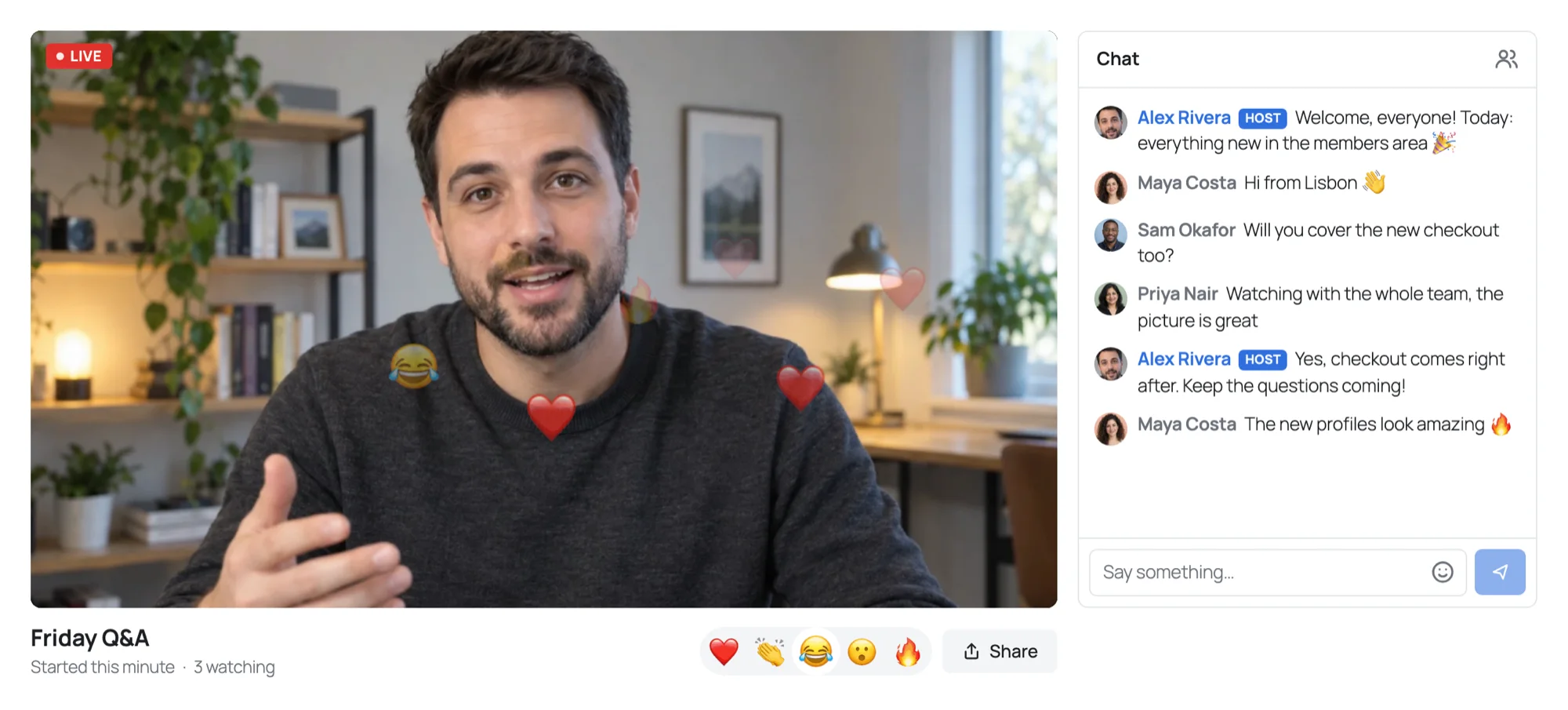
A stream on a WordPress page: the host live on camera with hearts and fire rising over the picture, and the chat beside it

How to Stream from OBS to WordPress over WHIP

· 7 min read
Andrij Tkachenko
Creator of Live Stream and Better Messages

OBS Studio is where most streams are made: scenes, overlays, a second camera, a slide deck beside your face. Since version 30, OBS can also send its stream over WHIP, the standard way to push a stream into a WebRTC service. That makes a new route possible: from OBS straight to a page of your WordPress site, watched in the browser with low delay, with no RTMP server in between.

This guide sets it up with Live Stream, step by step, with the OBS settings that decide how soon viewers see the picture and how smoothly it plays.

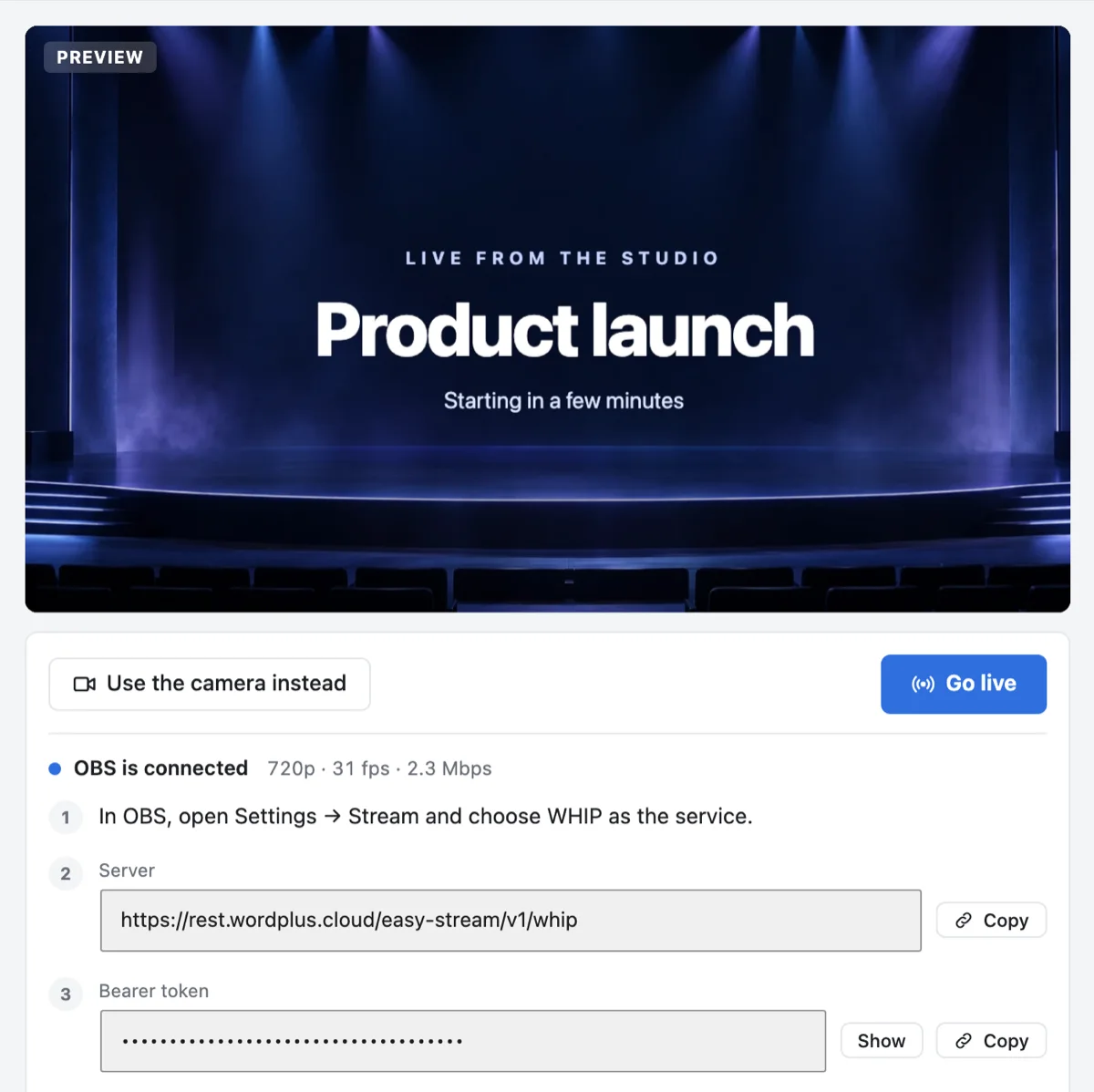
The studio with OBS connected: the picture from OBS previewed at 720p and 31 fps, with the steps, the server address and the bearer token to copy

Low Latency Live Streaming: Why WebRTC

· 7 min read
Andrij Tkachenko
Creator of Live Stream and Better Messages

Every live stream runs a little behind the moment it shows. The camera sees the host wave, and viewers see the wave some time later: that gap is the latency, or delay, of the stream. For a stream that nobody answers, a few seconds do not matter. For a stream whose audience talks back, a Q&A, a class, a launch with questions, an auction, the delay decides whether the chat is a conversation or a string of answers to questions the host has already moved past.

This post goes through where the delay comes from, why the usual way of delivering video runs many seconds behind, and how WebRTC, the technology of video calls, brings it down. It is also how Live Stream delivers its streams.

A Live Stream Inside a Better Messages Chat Room

· 5 min read
Andrij Tkachenko
Creator of Live Stream and Better Messages

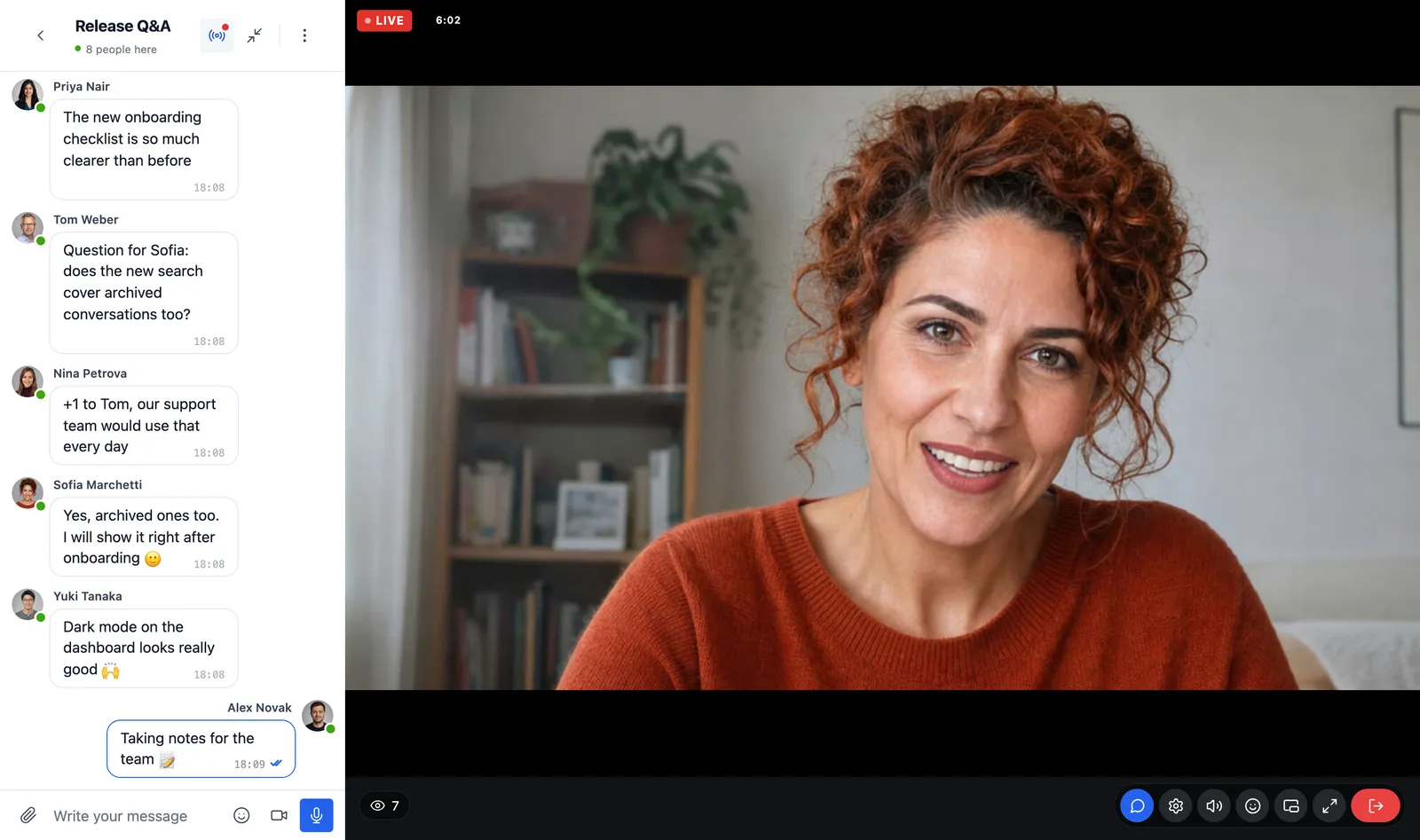
A community already talks in its chat rooms. When someone goes live, the natural place to watch is right there, beside the conversation the members are already in. With Live Stream and Better Messages, a chat room can host a live stream: it shows in the room the way a group video call does, and the room is the chat of the stream, with its history, its moderation and its members.

This post shows what members see, how a host goes live from the room, and how to set it up.

A Better Messages chat room with a live stream: the host on camera with a Live badge and seven watching, the messages of the room beside the stream, and the controls of the player among those of a call

How to Run Live Classes and Webinars on WordPress

· 7 min read
Andrij Tkachenko
Creator of Live Stream and Better Messages

A live class and a webinar have the same shape. A teacher or a speaker goes live at a set time, shows their face and their slides, and talks to people who signed up for it. Those people ask questions in a chat, and someone keeps the chat friendly. Afterwards, everyone wants to know when the next one is.

Most sites run them on a meeting tool and send people a link. This post shows how to run them on your own WordPress pages instead, with Live Stream, for the people your site already knows: what each part takes, how to set it up, and where a meeting tool is still the better choice.

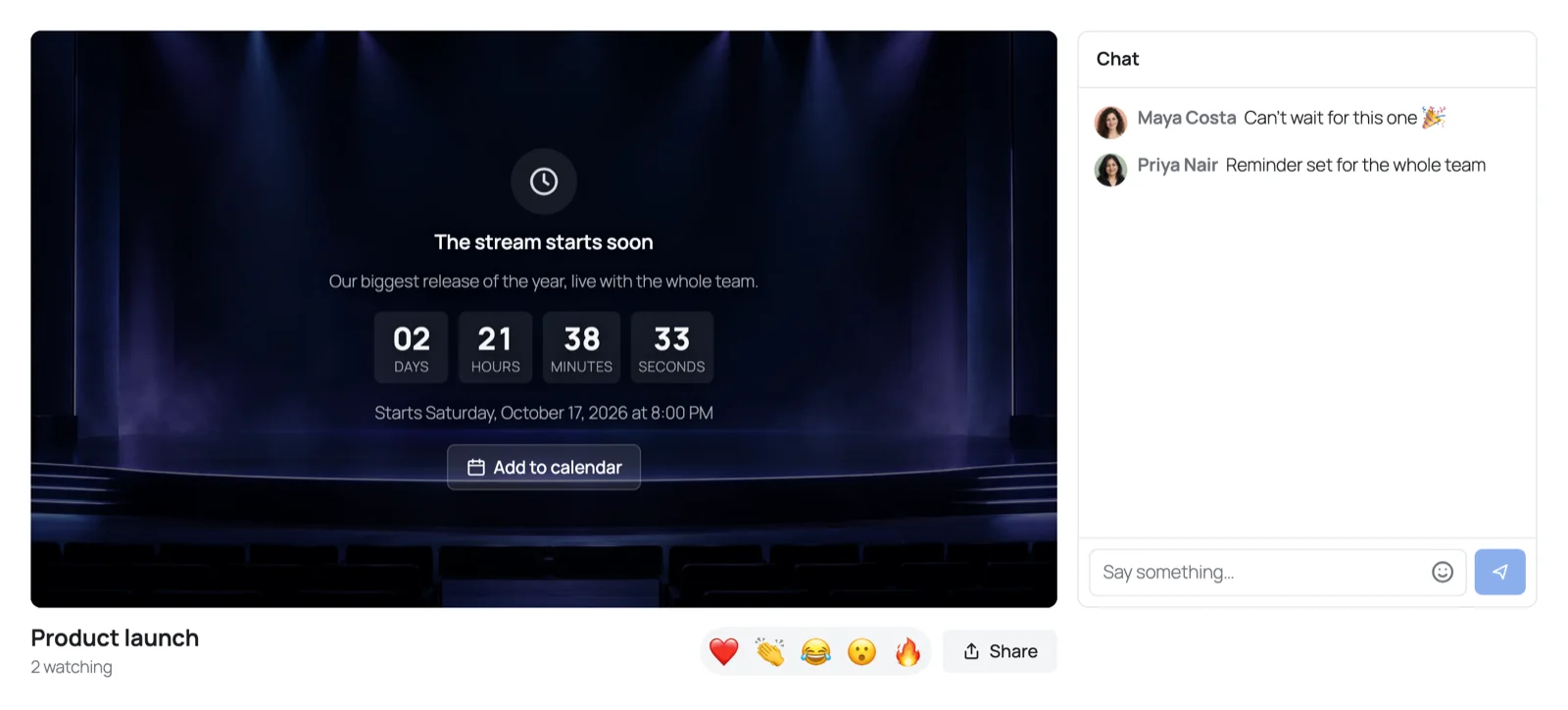
The page of a scheduled stream before it starts: a countdown over the cover of the stream, with Add to calendar, and the chat beside it